
City eventsPlaces worth going out for
 City guide
Where to go this weekend
The waterfront, a cycling route and a fresh view of the city.
12:40Telegram advertising, rewarded tasks and content from creators. Introduce people to your product and manage campaigns and orders in Pixora.
Choose a goal. See what the participant does and the result you receive.
City guideThe waterfront, a cycling route and a fresh view of the city.
12:40Verified actions and their statuses in your campaign. You can set a holding period for follows.
An ad on a partner’s platform. Pay for impressions, views or verified clicks.
A participant completes a task for a reward. Set the conditions and verification method for the chosen format.
Your channelTelegram
ActionThe participant opens your channel or group and subscribes according to the task conditions.
Verification and resultThe subscription is verified through Telegram. If retention is required, membership is checked again.
Choose a creator by portfolio. Order an existing service or discuss a custom brief in chat.
Find a UGC creatorFunds are reserved in the order. The creator is paid after you accept the work.
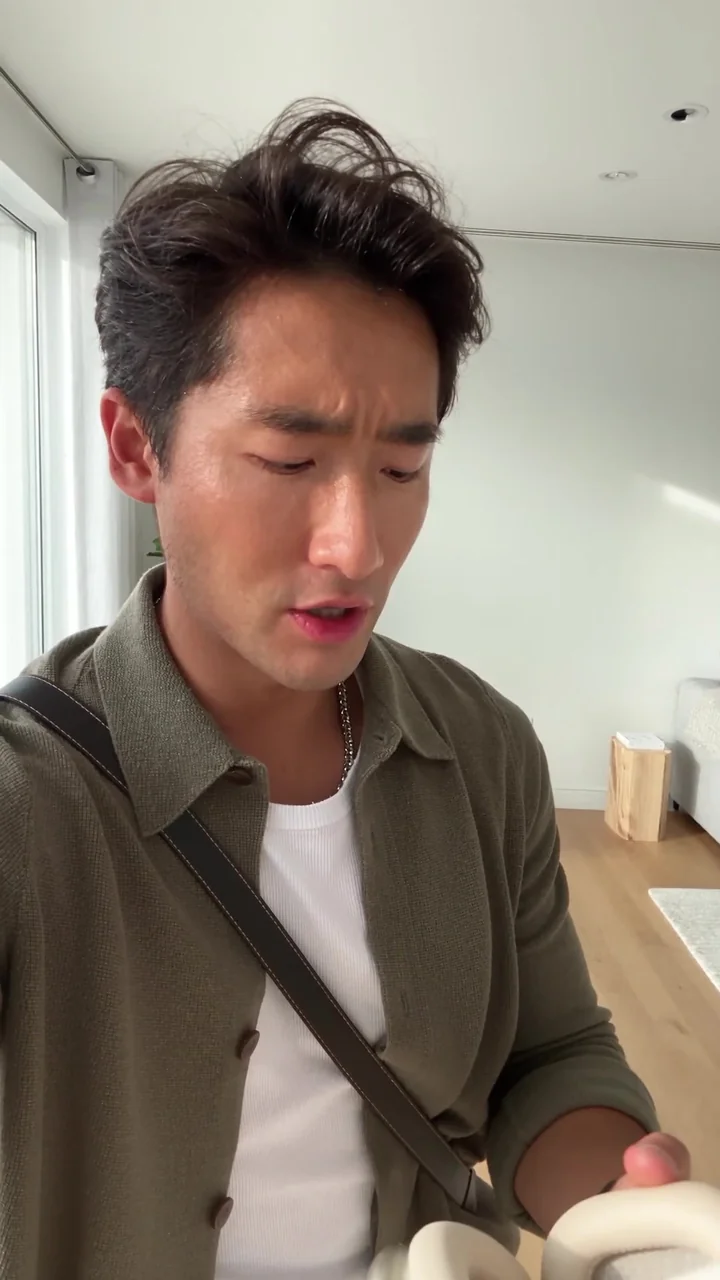
Show the headphones, their details and an example of use.
What to showExample approach: a creator, a product and a short script.
Terms are agreed before payment.
Every stage is in your order.
Explore their work and services. Discuss a custom request in chat.
Payment stays reserved in the order and moves to the creator’s available balance after you accept the work. Request revisions under the agreed terms if changes are needed. A dispute can be referred for review.
From setup to verification.
Campaigns, statuses and spending
in one workspace.
Choose an action, add a link and instructions. Specify the quantity, audience settings and budget.
Submit the campaign for review. Funding is reserved while the task is not yet available to participants.
After approval, participants can access the task. Completion and verification appear in your account.
Assess confirmed completions, statuses and costs. Also measure the effect on your business.
Available funds, reserved funds and spending are tracked separately. Reserved money has not yet been spent.
Pixel, link parameters and postbacks.
Connect using the documentation.
Track website events. Connect your service.
Integration depends on the service: link parameters, pixel and postback. A single automatic connection button for all listed services is not provided.
You specify a paid action and its conditions, such as a Telegram subscription, website visit or report. Verification depends on the format. Participants receive rewards for completing tasks; further product interest and sales are not guaranteed.
Settings offer filters for country, city, age group, language and interests based on the user's optional profile. Some formats also require a current verified location. These filters do not verify identity. A narrower audience may change the price and available segment; audience estimates do not guarantee reach.
Price, fees, available quantities and holding conditions depend on the format and current tariffs. The final calculation is shown during setup before confirmation. The figures on this page are illustrative rather than a tariff offer.
Requirements depend on the action. Subscription verification requires bot access to the channel or group; voting uses a non-anonymous poll published through Pixora. The permissions and connection steps are shown when you configure the format.
A moderator checks the materials, link, audience and result conditions. Timing depends on the task and complexity. If changes are needed, follow the decision reason in your account. Approval does not guarantee a particular volume or pace of completions.
Funding is reserved when a campaign is sent for moderation. It covers future payments and is not yet final spending. Your account shows the available balance, campaign funding and charges separately.
Results are assessed according to the format's rules. Suspicious events may receive further review; reports can be rejected or returned for revisions against criteria set in advance. An ordinary report without risk flags is accepted automatically if it is not reviewed on time. Check its final status and related transactions.
You can pause an active campaign. Closing it and refunding the balance depends on its state and open obligations. For example, reports already being worked on may still need review. Check the exact status and amounts in your account.
Checks depend on the format. Website visits use single-use links and monitoring of duplicate or suspicious attempts; Telegram tasks use data for the required action. Verification does not remove every risk. Automation, bypassing restrictions and fabricated evidence are prohibited.
Conditions must be clear before the start and follow Pixora's and the platform's rules. You may not conceal a required purchase, request account secrets, change the offer after review or order fabricated evidence. Read the advertising policy and service terms before launch.
Build your profile and portfolio,
add services. Manage conversations
and orders in your creator workspace.
Launch an advertising campaign or choose a content creator.
Launch a campaignFind a UGC creator